
Yaar Win Login
Logging in to Yaar Win takes your registered mobile number and password — nothing else. This page exists for the moments it doesn't go smoothly: forgotten passwords, OTP delays, lookalike login pages, and the difference between an account problem and a platform problem.
The normal login flow
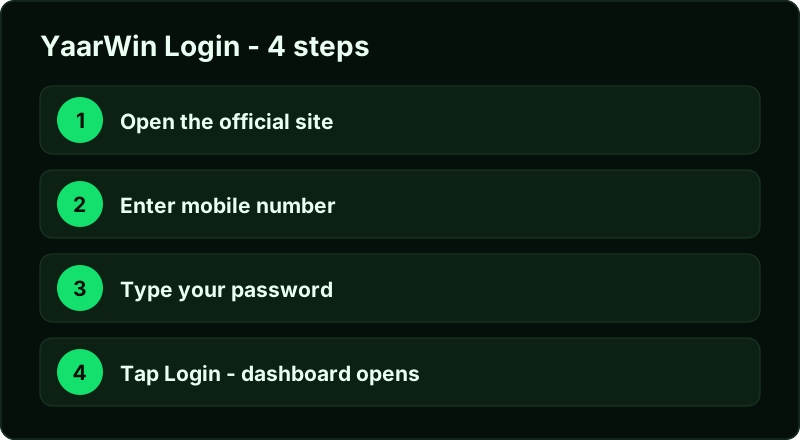
Open the platform, tap Login, enter the mobile number you registered with and your password. That's the entire flow — there's no username, no email option, and no social login. The same credentials work in the Android app and in any browser, and sessions are independent: signing in on your laptop doesn't kick your phone out.
Forgot your password?
Use "Forgot password" on the login screen. The platform sends an OTP to your registered mobile number, you confirm it, and set a new password. Two practical notes from doing this more than once:
- OTPs can take up to a minute during evening peak hours. Wait for the timer before requesting again — stacked requests sometimes invalidate the earlier code.
- The recovery route is the mobile number, full stop. If you've lost access to that SIM, recover the SIM with your telecom provider first; support can't verify you another way.
Login problems and what they actually mean
| Symptom | Likely cause | Fix |
|---|---|---|
| "Account or password incorrect" | Typo, or you registered a different number | Try the forgot-password flow — it doubles as a check that the number has an account |
| OTP never arrives | Peak-hour SMS delay or DND filtering | Wait the full timer, check spam SMS, try once more; switch off any SMS-blocking app |
| Page loads but login button does nothing | Stale cached app shell | Hard-refresh the browser or clear the app cache and reopen |
| Logged out repeatedly | Network switching between WiFi and data | Stay on one network for the session |
Make sure you're logging in on the real site
This matters more than everything above. Most "yaarwin login" results on Google are pages we don't operate, and a password typed into a lookalike is gone. The platform login lives at yaarwin.app — bookmark it once, or come through this page. Our real or fake guide shows how to verify the domain in three seconds, and the home page keeps the current official-domain list.
No YaarWin staff member will ever ask for your password — not in Telegram, not in a "verification" chat, not by phone. Anyone asking is running a scam, whatever their profile picture says.
Keep the account yours — a 60-second security setup
Login problems are annoying; losing the account is worse. Three habits close off the realistic attack routes:
- Unique password. If your YaarWin password unlocks nothing else — not your UPI app, not your email — then even a successful phish on a clone site is a contained loss. Change it from Profile → Settings if you've been reusing one.
- Guard the OTP like cash. The reset OTP is the master key to the account. No admin, no "support agent", no prize coordinator ever needs it. Reading an OTP aloud to a caller hands them the wallet.
- Log out on shared devices. Sessions persist by design. On a friend's phone or a shop computer, use the explicit logout in the profile tab when you're done — closing the tab isn't the same thing.
New to the platform?
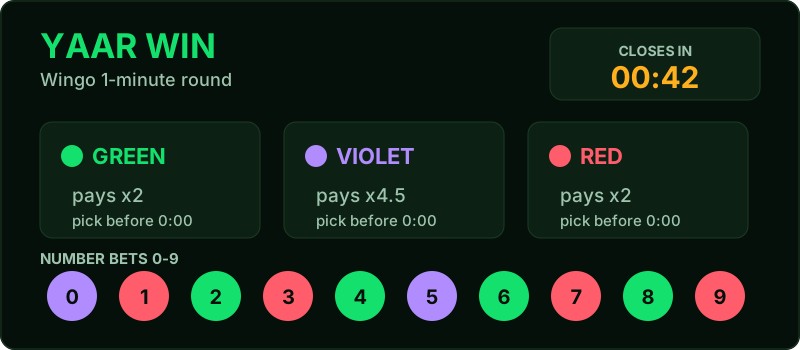
If you don't have an account yet, login screens will only frustrate you — go to the Yaar Win register guide instead. Registration takes about a minute, and the invite code 58662168510 has to go in at signup (it can't be added later). After that, the APK download page gets the app onto your phone, and the colour prediction guide explains the game you're about to play, including the parts the promo videos skip.
Yaar Win login FAQ
Can I be logged in on two devices?
Yes — app and browser sessions run side by side on one balance. Just don't share credentials; "session sharing" with strangers is how accounts get drained.
Is there a login bonus?
The platform runs sign-in promotions from time to time. Whatever is active shows in the app's activity tab — we don't quote amounts here because they change without notice.
I registered but login says no account exists.
Almost always a different mobile number than you think — a second SIM is the usual culprit. The forgot-password flow tells you whether a number has an account attached.
Does logging in on the website differ from the app?
No. Same account, same wallet, same games. The APK adds convenience, not features.
How long do sessions stay logged in?
Until you log out or the platform forces a refresh after a major update. On your own phone that's convenient; on anyone else's device, use the explicit logout in the profile tab.